Hierarchy Diagrams - Organogram - Family Tree
OrganigramFollow branches from left to right. On small screens, branches form an indented list. |
Organization hierarchyRead from the top down. On small screens, branches form an indented list. |
Family treeRead from the top down. On small screens, branches form an indented list. |
TaxonomyIndented items belong to the category above them. |
Hierarchy Diagrams
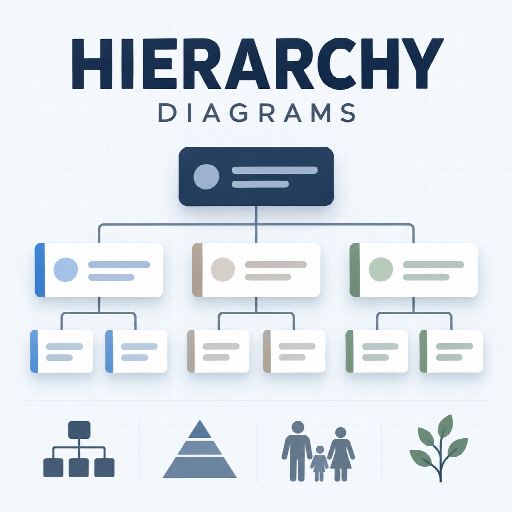
Four ready-to-use diagrams from a simple parent-ID table: organizational structure, chain of command, family descendants and scientific categories.
1. Install and start
- Import
rs_hierarchy.zipusing Tabulizer's ruleset archive import. The archive contains the standardrules,css,modify,language,data,datasourcesanddocsfolders, plus its thumbnail. - Select Organigram, Organization Hierarchy, Family Tree or Taxonomy Chart. Each ruleset includes sample data; matching CSV data sources are also included.
- Replace the sample records with your own data, keeping the first row as the field names described below. A spreadsheet or CSV editor is a convenient way to maintain it.
- Render the table on your site. The modification replaces the source with one HTML cell containing the diagram.
Keep zero table header rows and the transparent theme used by the supplied rulesets. Keep Tabulizer's generic responsive-table feature disabled: the diagram has its own responsive layout. Avoid table sorting, searching, pagination, row filtering, or cell transformations after this modification. To change a preset, copy it first so a future archive update does not overwrite your settings.
For manual installation, copy each archive folder's files into its corresponding Tabulizer template folder. The function belongs in templates/tabulizer/modify/hierarchy.php on Joomla or wp-content/plugins/tabulizer/templates/tabulizer/modify/hierarchy.php on WordPress; language files belong in the corresponding language folder. Prefer archive import so all associated files are handled together.
2. The four variations
| Variation / type | Default layout | Use and palette |
|---|---|---|
Organigramorganigram |
Horizontal: parent at left, reports at right | People, roles, departments and reporting relationships. Neutral slate and white. |
Organization Hierarchyhierarchy |
Top-down pyramid | Strict chain of command. Dark navy root, familiar blue accents and white cards. |
Family Treefamily |
Top-down descendants | Generations, dates and optional partners. Warm stone, charcoal and white; no gender-specific colors. |
Taxonomy Charttaxonomy |
Indented outline | Scientific ranks, educational categories, course structures or product classifications. Muted forest green and white. |
All four variations use the same input format and can share the same source data. Every node has at most one recorded parent. A diagram can have multiple roots; each root begins an independent tree. Parent connections express the meaning chosen for your data, rather than a fixed biological or employment relationship.
3. Input format
Use one row per node. The first row contains fixed field names in any order; names are case-insensitive and trimmed. Only id, parent and label are required. Omit unused optional columns entirely or leave their cells blank. Do not add unrelated columns to this table.
| Column | Required? | Meaning |
|---|---|---|
id |
Yes | A unique stable identifier, 1–64 ASCII letters, digits, underscores or hyphens. Examples: ceo, person_42, sales-eu. IDs are case-sensitive: A and a differ. Numeric IDs, including 0, are valid. |
parent |
Yes, column; value may be blank | ID of the immediate parent. Blank means root. It must reference an existing ID when nonempty. Parent records may appear before or after children. A node cannot reference itself or form a cycle. |
label |
Yes | Main visible name, such as a person, role, department, category or species. Repeated labels are allowed when IDs are distinct. Use meaningful labels for assistive technology. |
detail |
No | Secondary text: job title, description, dates or a common name. Newlines are preserved visually; CSV cells containing newlines or commas must be quoted. |
kind |
No | Small category badge above the name, such as Department, Second generation, Kingdom or Species. This is your own text; any rank vocabulary is allowed. |
partner |
No | Optional partner name shown in a separate soft panel within the card. Mainly intended for family trees. It is display text, not a second parent relationship. |
url |
No | Makes the main label a link opening in the same tab. Use https://example.org/profile, http://example.org/department or /people/alex. Site-root-relative paths must start with exactly one slash. Credentials, protocol-relative URLs, backslashes, raw spaces, control characters and other schemes are rejected. Percent-encode spaces in URLs. |
order |
No | Whole number from 0 to 999999 controlling sibling order. Lower values appear first. Blank means 0. Ties keep source row order. This applies to roots too; it never changes parent relationships. |
For predictable sorting, fill order for every sibling in a group, using 1, 2, 3, etc. Rearranging rows is sufficient if you omit this column. Do not use duplicate IDs to put a person in two places; create separate records with distinct IDs only when duplicated appearances are intentional.
4. Copy-and-paste examples
Minimal organigram
id,parent,label
director,,Managing Director
operations,director,Operations
people,director,People
support,operations,Customer Support
Set the modification rule to hierarchy$type=organigram. To move Customer Support under People, change only its parent from operations to people. Keep support unchanged so any of its children continue to follow it.
Classic chain of command
id,parent,label,detail,order
chief,,Chief Executive,Overall responsibility,1
finance,chief,Finance,Financial planning,1
product,chief,Product,Product development,2
design,product,Design,Research and design,1
engineering,product,Engineering,Development and quality,2
Use hierarchy$type=hierarchy;title=Our organization. Broader teams occupy wider subtrees; connector lines retain the reporting structure. This is a tree layout, not a filled triangular shape.
Family descendants with partners
id,parent,label,detail,partner
alex,,Alex Bennett,1942–2018,Morgan Bennett
jamie,alex,Jamie Bennett,b. 1967,Casey Bennett
robin,alex,Robin Bennett,b. 1971,Drew Bennett
taylor,jamie,Taylor Bennett,b. 1993,
Use hierarchy$type=family;title=The Bennett family. This example reads as Alex's family unit with Morgan, their recorded descendants Jamie and Robin, and Jamie's recorded descendant Taylor. The partner appears inside the same card; the function does not infer or validate biological parentage.
Family scope: one recorded parent or household per node, displayed as a descendant tree. It does not draw two independent parent links, marriages between separately located nodes, adoption edge types, shared ancestors, or pedigree collapse. To start from a household rather than one person, use a label such as Alex & Morgan Bennett and omit partner. Dates, relationships and generational badges are author content. The sample names and dates are fictional.
Scientific or educational taxonomy
id,parent,label,kind,detail
animalia,,Animalia,Kingdom,Animals
chordata,animalia,Chordata,Phylum,Chordates
mammalia,chordata,Mammalia,Class,Mammals
carnivora,mammalia,Carnivora,Order,Carnivorans
felidae,carnivora,Felidae,Family,Cats
panthera,felidae,Panthera,Genus,Big cats
lion,panthera,Panthera leo,Species,Lion
tiger,panthera,Panthera tigris,Species,Tiger
Use hierarchy$type=taxonomy;title=Big cat classification. Ranks come from kind, so the same format can classify learning materials, products or concepts. The included biological example is a selective branch, not a complete classification or a taxonomy validation service. To italicize scientific labels, add .hy-taxonomy .hy-label { font-style: italic; } to your site's CSS.
5. Modification options
The full rule starts with hierarchy$. Options use key=value pairs separated by semicolons. All values are case-sensitive except source column names.
hierarchy$type=organigram
hierarchy$type=hierarchy;title=Company structure
hierarchy$type=family;title=Our family;hint=0
hierarchy$type=taxonomy;layout=topdown;title=Categories
| Option | Default | Allowed values |
|---|---|---|
type |
organigram |
organigram, hierarchy, family, taxonomy |
layout |
auto |
auto chooses the variation's default; horizontal, topdown or outline overrides it. |
title |
Translated variation title | Custom plain text. Blank also uses the translated title. Equals signs are allowed; semicolons are reserved for option separators. |
hint |
1 |
1 shows the translated reading hint; 0 hides it. |
Layout and palette are independent: type=family;layout=outline keeps the family styling and partner panels while using a compact outline.
Direct PHP invocation
// Tabulizer initializes the installed function automatically.
// In your own integration, initialize it through your Tabulizer runtime first.
$rows = array(
    1 => array(1 => 'id', 2 => 'parent', 3 => 'label'),
    2 => array(1 => 'root', 2 => '', 3 => 'Leadership'),
    3 => array(1 => 'team', 2 => 'root', 3 => 'Delivery')
);
$function->modify($rows, 'type=hierarchy;title=Our organization');
// $rows[1][1] now contains the diagram. Do not use the method's return value.
6. Translate the interface
English and Greek are provided in language/hierarchy.en.ini and language/hierarchy.el.ini. The function uses inherited text() calls. Tabulizer loads English first, then overlays the site's language; el-GR, for example, uses el. Built-in English values provide a fallback when no translation is loaded.
To add another language, copy the English file to hierarchy.xx.ini, matching your site's language suffix. Translate values, keeping keys intact. Keys cover the four default titles, three layout hints, the Partner label and the accessible diagram-region label. No text is baked into CSS images or JavaScript.
IDs, field names, option keys and option codes remain unchanged across languages. Names, details, kinds, partner names and custom titles are authored in your audience's language; they are not automatically translated. To use a translated default title, omit title from the rule.
7. Responsive behavior, accessibility and colors
On larger screens, horizontal and top-down diagrams can extend beyond the panel. They scroll inside their own focusable region; keyboard users can focus that region and use arrow keys. Outlines keep an indented reading order. At 680px viewport width, or 620px panel width in browsers supporting container queries, all layouts become indented lists with wrapping cards. The underlying hierarchy remains the same. Very deep trees reduce indentation to keep cards readable. Print output also uses a compact outline; large trees can span multiple pages.
Native nested lists carry the hierarchy for assistive technology. Links have visible focus indicators. Parent connections are structural and do not depend on color. No external JavaScript, image service, icon font or tracking request is required to display a chart.
The default palettes use restrained slate/navy, blue, warm stone and forest green. White cards, light neutral surfaces and dark text integrate with most sites. For optional branding, override these CSS variables after the archive stylesheet:
.hy-diagram.hy-organigram {
    --hy-accent: #334155;
    --hy-soft: #f1f5f9;
    --hy-line: #cbd5e1;
    --hy-text: #172b43;
    --hy-muted: #526175;
}
/* The hierarchy root uses a solid navy treatment; override it separately. */
.hy-hierarchy .hy-tree > .hy-item > .hy-card {
    background: #1e3a8a;
    border-color: #1e3a8a;
}
All cell values are escaped as plain text, including names, notes and badges. HTML such as <b> displays literally. Links are generated only through the url column. If importing from an editor that inserts HTML instead of plain cell text, switch to a plain CSV source.