Large Data Sets
Show 50,000 Rows Without Slowing Your Page Down
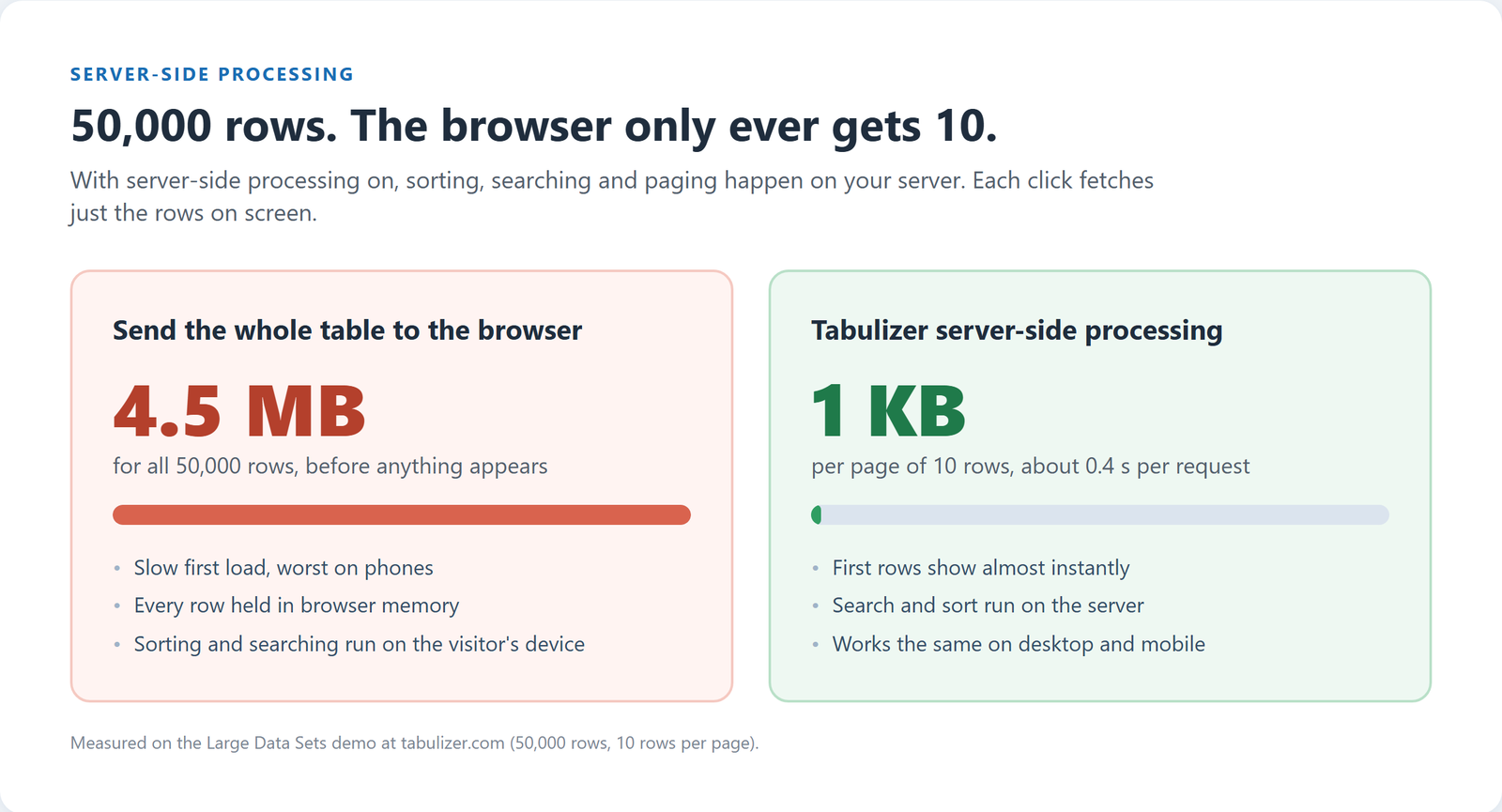
A big table normally means a slow page, because every row is sent to the browser before the visitor sees anything. With Tabulizer's server-side processing, the browser receives only the rows on screen. Sorting, searching and paging run on your server.
What's inside: server-side (AJAX) processing, search and sort on the server, data source caching, cache refresh time, pagination for tens of thousands of rows.
What You Get
Server-Side Processing
Tick one option on the data source. Each click on a page number, a column header or the search box asks the server for just the matching rows.
Search Across Every Row
Search is not limited to the page on screen. A visitor typing a name finds it anywhere in all 50,000 rows.
Sorting on the Server
Sort by any column and the server orders the full data set. Custom data types, such as part numbers, can have their own server-side sorting.
Data Source Cache
Your file, spreadsheet or database is read once and served from the cache until the refresh time you set, in minutes.
Same Table on Phones
A phone downloads the same few kilobytes as a desktop, so large tables stay usable on mobile connections.
Export Still Gets Everything
When a visitor exports to CSV or Excel, Tabulizer fetches all the rows for the file, not just the page on screen.
See It Working
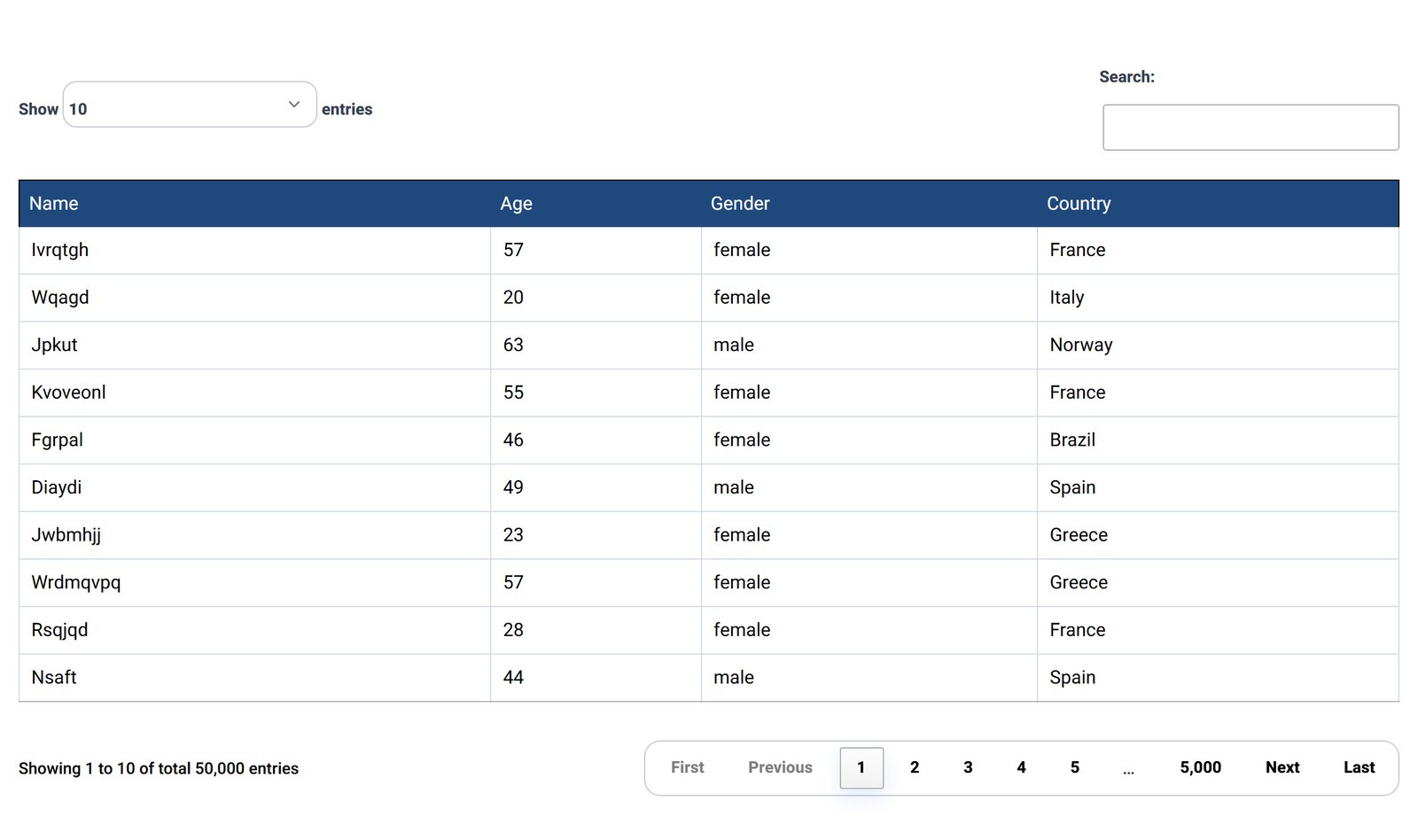
This is the live demo: 50,000 records, 5,000 pages, 10 rows at a time. Jump to the last page or search for a name and see how quickly the result comes back.
How to Set It Up
- Create a data source for your CSV or Excel file, Google spreadsheet, JSON API or database query in the Tabulizer back end.
- Turn on the cache and "Server Side". Server-side processing reads from the cache, so choose a cache time that matches how often your data changes.
- Pick a ruleset with pagination. Make one in the Table Wizard in a few minutes, or reuse one you already have.
- Insert the data source tag into your article or post. Update the source and the table follows. You never edit the page.
Good Fit For
Product catalogs and price lists, member and dealer directories, stock and order records, research and public data, exported database tables, and any table where visitors look for one row among thousands.
Questions
How many rows can it handle?
Our public demo runs 50,000 rows. The practical limit is set by your server and data source, not the browser, because the browser only ever holds one page.
Do I need to write code?
No. Server-side processing and caching are options on the data source. The table design comes from a ruleset made in the online Table Wizard.
Can a server-side table be split into several tables?
No. Table splits need every row on the page at once, so Tabulizer does not combine them with server-side processing.
Joomla or WordPress?
Both. Server-side processing works the same in Tabulizer for Joomla 3, 4, 5 and 6 and for WordPress.
Try the 50,000-Row Demo
Search it, sort it, jump to page 5,000.