Ruleset
A named set of rules that says how data is changed and displayed: which rows get a header style, which cells are formatted as currency, whether the table can be sorted, or that the data should become a chart.
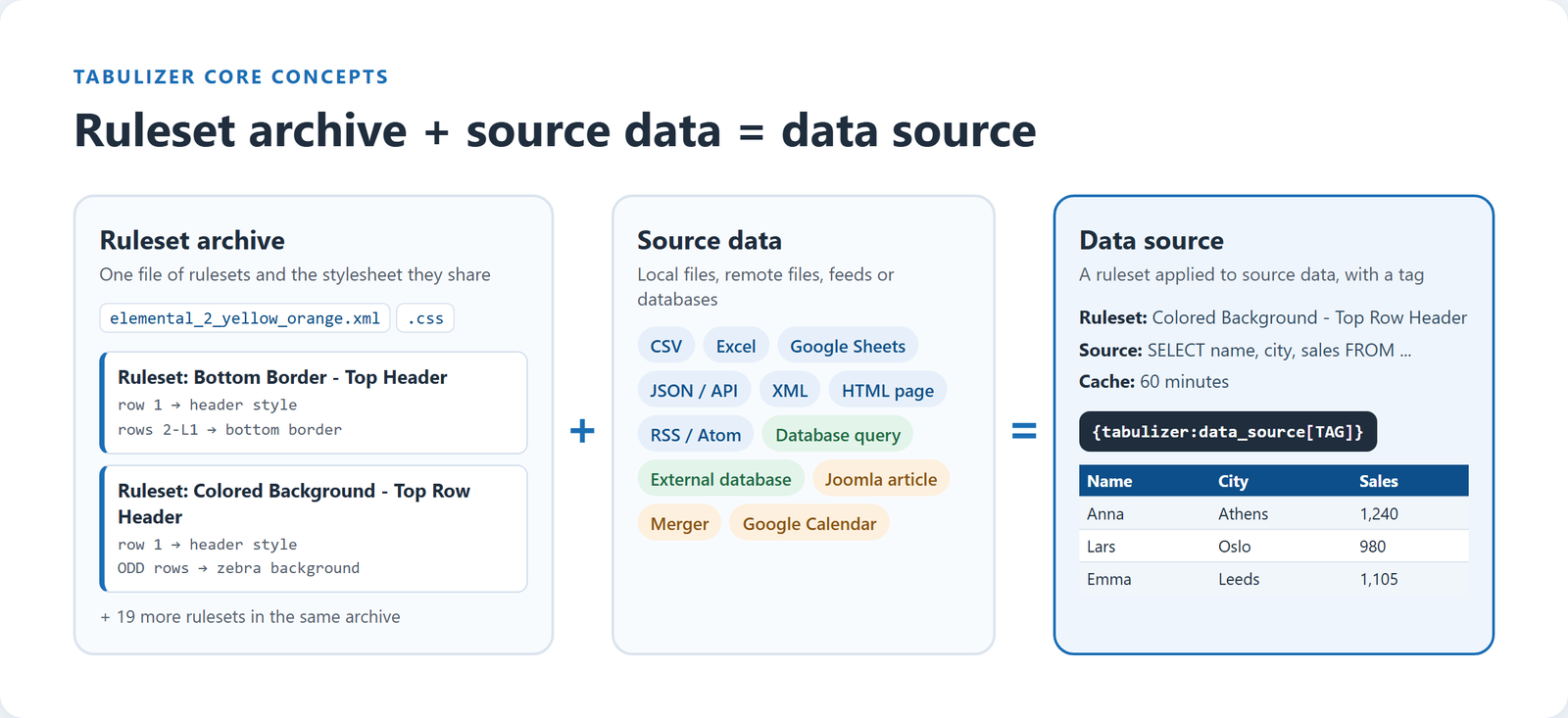
Three words appear everywhere in Tabulizer. Once they click, the rest of the product makes sense: you describe how data should look once, and reuse that description on any data you like.
A named set of rules that says how data is changed and displayed: which rows get a header style, which cells are formatted as currency, whether the table can be sorted, or that the data should become a chart.
The file that holds one or more rulesets, together with the stylesheet they share. You install, import and export rulesets as archives.
A ruleset combined with source data, local or remote: a file, a spreadsheet, a feed, or a query on your own or an external database. You place it on a page with a short tag.
A ruleset is a list of rules. Each rule answers two questions: where it applies, and what it does there. The "where" is an element and a range, such as "row 1" or "every odd row", and is explained in Tutorial 2. The "what" can be almost anything Tabulizer knows how to do:
So the ruleset type decides what the rules can do: a table ruleset styles and changes a table, while a wizard ruleset reads the rows as the input for a chart, a pricing table or a form.
Here are two rules from a real ruleset. The first gives row 1 the header style; the second makes the table sortable with 10 rows per page:
<rule element="row" range="1" style="tr_ht1"></rule>
<rule element="table" range="ALL" sort="enabled sorting_position:1 all auto"
      pagination="enabled full limit10 info[bottom-left] position[bottom-right] header_size:1"></rule>
You rarely write rules by hand. The online wizards and the back-end rule editor write them for you, but it helps to know they are there: every option you tick in a wizard becomes a rule like these.
tabtable-rs_a11y2026, which is how a ruleset's styles apply only to its own tables.Rulesets are stored in archives. An archive is an XML file of one or more rulesets, plus a stylesheet with the CSS those rulesets use. Both live in your site's Tabulizer template folder, under rules and css.
Grouping related rulesets in one archive keeps a family of designs together. For example, the Elemental 2 Yellow-Orange archive holds 21 rulesets that share one colour scheme and one stylesheet: "Bottom Border - Top Header", "Colored Background - Top Row Header", "Plain Box - With border" and so on. Choosing a different ruleset from the same archive changes the layout while keeping the colours.
The online wizards create an archive with the ruleset you designed. The ruleset catalog offers ready-made archives.
Import the ZIP archive in the Tabulizer back end. Its rules, stylesheet and any data sources it contains are installed together.
Pick the archive and one of its rulesets whenever you create a table, a chart or a data source.
A ruleset on its own does nothing; it needs data. A data source is the combination of a ruleset and the data it is applied to, saved under a unique tag. Every data source stores at least:
Insert the tag in any article, post or page and Tabulizer reads the data, applies the ruleset and shows the result every time the page is viewed:
On WordPress you can also use the shortcode [data-source tag="TAG"].
| Source type | What you provide |
|---|---|
| CSV / Text file | A local file or a URL, plus separator, enclosure and optional character encoding. |
| Excel file | An xls, xlsx or ods file, stored on your site or at a URL, plus the sheet and the cell range to read. |
| Google Spreadsheet | The spreadsheet's URL, read through Google's CSV or HTML export. |
| JSON file / API | The URL, the path to the rows inside the response and the columns to keep. |
| XML file / HTML page | The file or page, and which elements or which table on it to read. |
| RSS feed | The feed URL and whether it is RSS 2.0 or Atom. |
| Database table / query | An SQL query that runs on your website's own database. |
| External database / query | An SQL query, plus the driver, host, user name, password and database name of the other server. |
| Joomla article | The ID of an article whose table should be reused and restyled. |
| Data source merger | Other data sources to combine, stacked or side by side. |
| Google Calendar (ICS) | The calendar's ICS address, a date range and which fields to read. |
Paste or type data in the editor and pick a ruleset. The ruleset is applied once and the finished HTML is saved in the article. No data source is involved.
Create a data source and insert its tag. The ruleset is applied to the current data every time the page is shown, so updating the source updates the page.
In both cases the ruleset is the same, and so is the archive it comes from. That is what makes rulesets reusable: design once, then apply the design to pasted data today and to a live database query tomorrow.
Yes, and they usually do. Change the ruleset and every data source and static table built with it follows.
Yes. Insert the same tag wherever you need the table. See static vs dynamic content.
Rulesets in one archive share a stylesheet, and they travel together when you import or export them, so a family of related designs stays consistent.
Tutorial 2 explains elements, ranges, range keys, element sections and priority: the fields that tell each rule exactly which part of the table it changes.
Read Tutorial 2